 VENTEEVE
An AI voice agent is a phone line that talks back. A customer rings, something answers in a natural human voice, understands what they said, and then does the job: answers the question, books the appointment, takes the order, qualifies the lead, or passes the call to a person with the context attached. No hold music, no "please leave a message after the tone," no receptionist who went to lunch in 2019.
Chat agents do the same on a website or in a messaging app. Together they are quietly becoming the front desk of small business.
Why Everyone Is Suddenly Building Them
The honest answer is that the technology got good and the tools got easy. Platforms like ElevenLabs, Vapi and Retell let one person build in an afternoon what used to take an engineering team, and the voices stopped sounding like a satnav having a breakdown.
The demand side is just as simple. A Fortune report on the AI receptionist startup Beside cited a market projection of voice AI growing from $3.14 billion in 2024 to $47.5 billion in 2034, and the same piece noted that four out of five callers sent to voicemail never call back. Business owners lose customers every day to a phone nobody could answer. An agent that picks up every call is not a gimmick. It is a leak fixed.
So agencies appeared: people building voice and chat agents for dentists, plumbers, salons, gyms and law offices. Maybe you are one. If so, this next part is the bit nobody puts in the tutorial.
Building the Agent Is About 20% of the Job
You write the prompt, pick the voice, connect the calendar, test it twenty times, and it works. You feel like a wizard. And you are one fifth of the way there.
The other 80% starts the day it goes live. Is it actually booking people? Which calls failed, and why? What are callers asking that the agent was never taught? What should the business change, in its pricing, its hours or its staffing, based on what hundreds of real conversations are telling you? A finished agent is a phone. A finished *system* is a phone plus eyes: tracking, monitoring, and a steady stream of "here is what to fix next."
That second part is where the client decides whether you are worth keeping.
How I Lost the Spreadsheet Era
My first client got a Google Sheet. Every call, one row: date, caller, recording link, transcript, outcome. I was rather proud of it. It was organised. It was colour-coded. It was, I genuinely believed, transparency.
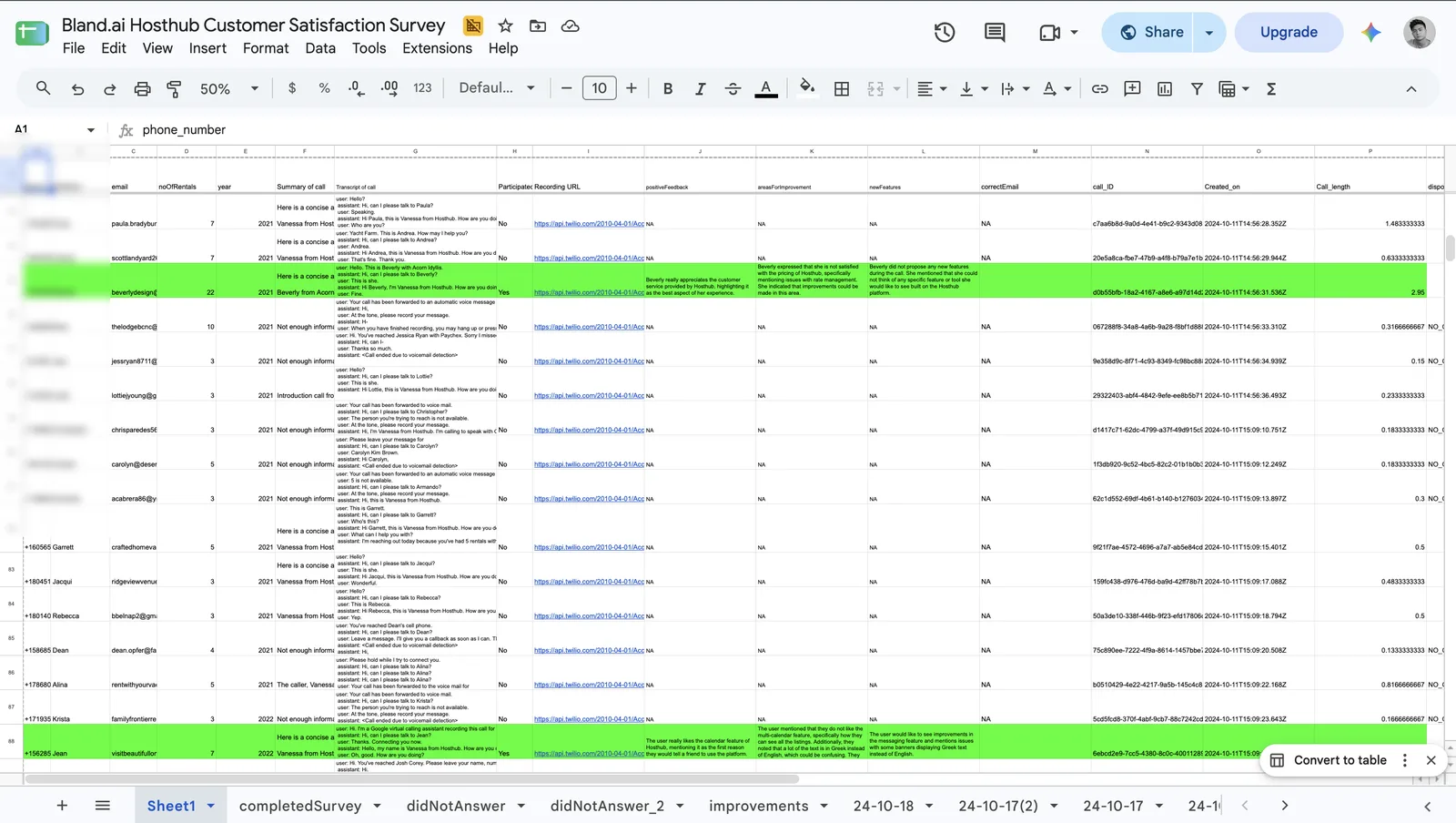
It worked for about three weeks.
Then the calls multiplied, and a sheet that was readable at 30 rows became unreadable at 300. Nobody can look at 300 rows of transcript and answer the only question a business owner has, which is "is this making me money?" The client stopped opening it. Then they stopped replying about it. Then they stopped. They did not leave because the agent was bad. They left because they could not *see* that it was good.
A spreadsheet is a pile of evidence. A client does not want evidence. They want a verdict.
So I Built the Portal I Wished I Had Handed Them
Venteeve is a client portal for agencies running voice and chat agents on ElevenLabs, Vapi or Retell. You connect your platform with an API key, your existing agents and calls appear, and nothing about how they run changes. Then every client gets a clean, branded place to see what their agent is doing. Here is the tour.
Overview: The Number a Client Actually Cares About
The first screen leads with revenue. Mark a booking as a sale and the dollar figure updates, so the number you show a client is one you can defend. Beside it sit appointments booked, calls answered, staff hours saved, success rate and average call length.
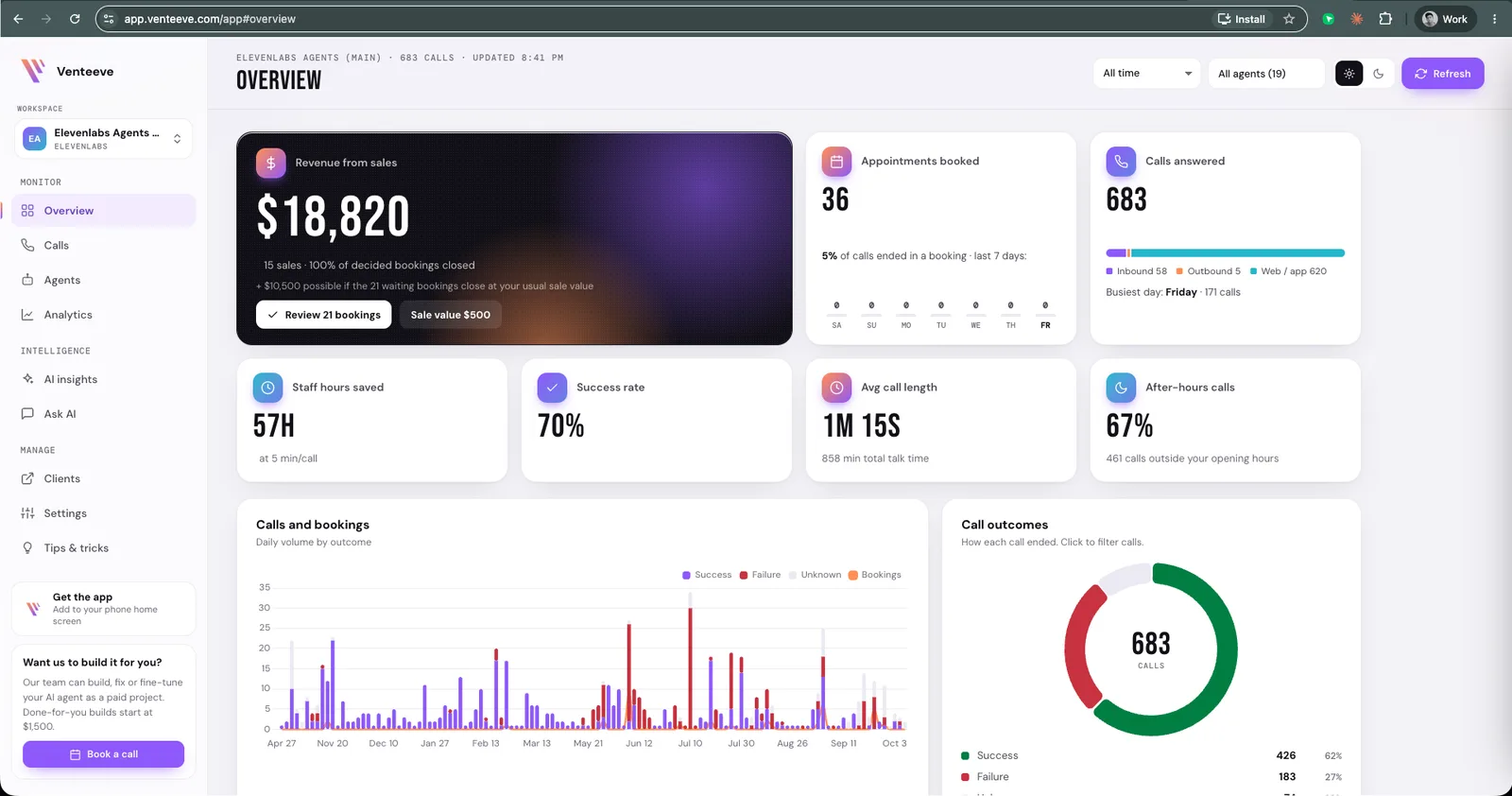
There is also a chart of when people call, split into opening hours and after hours. In my workspace, 67% of calls came in outside open hours. That single stat tends to end the "is this worth it?" conversation before it starts, because those are calls a human would have missed.
Calls: Every Conversation, Findable
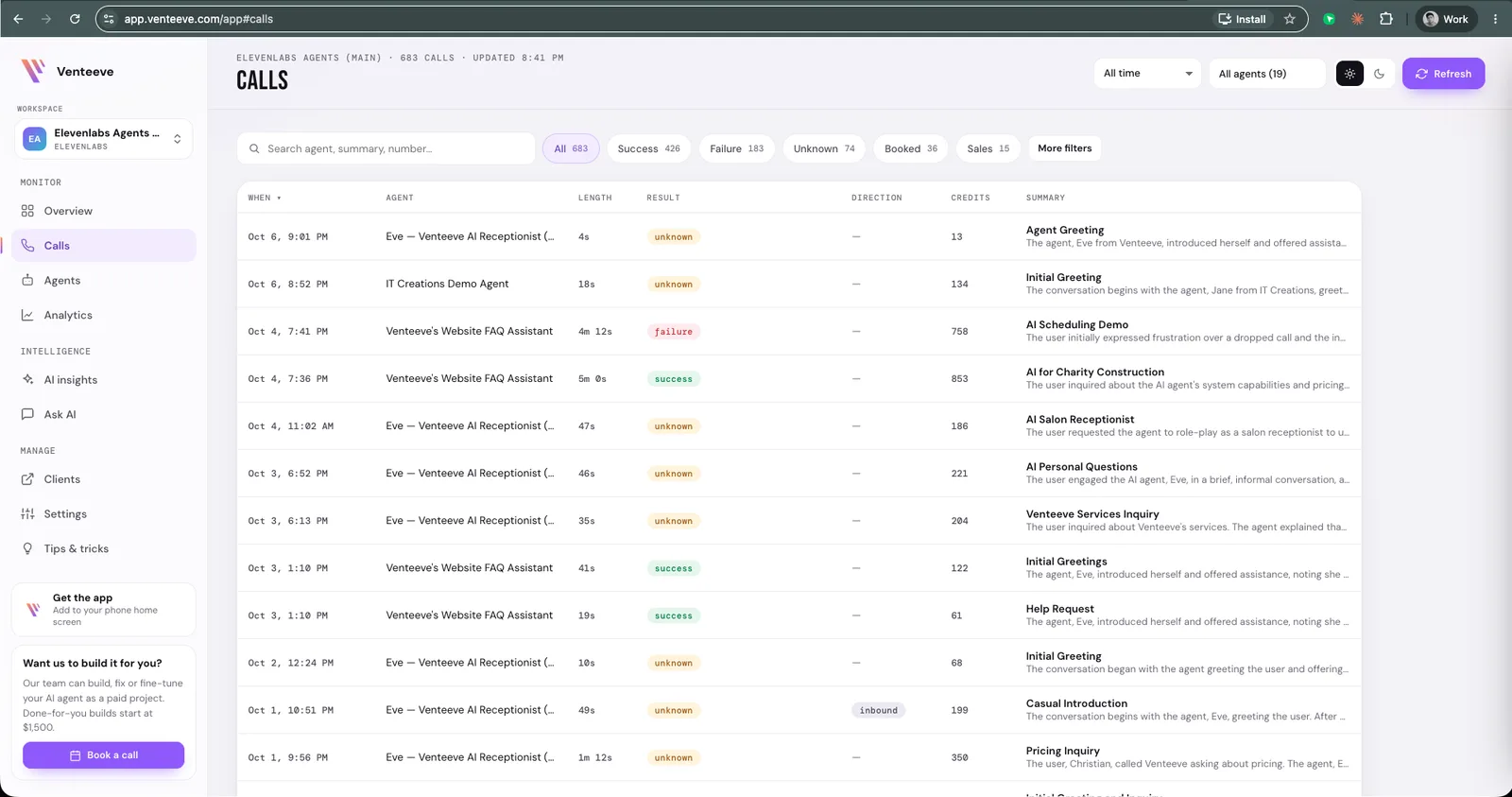
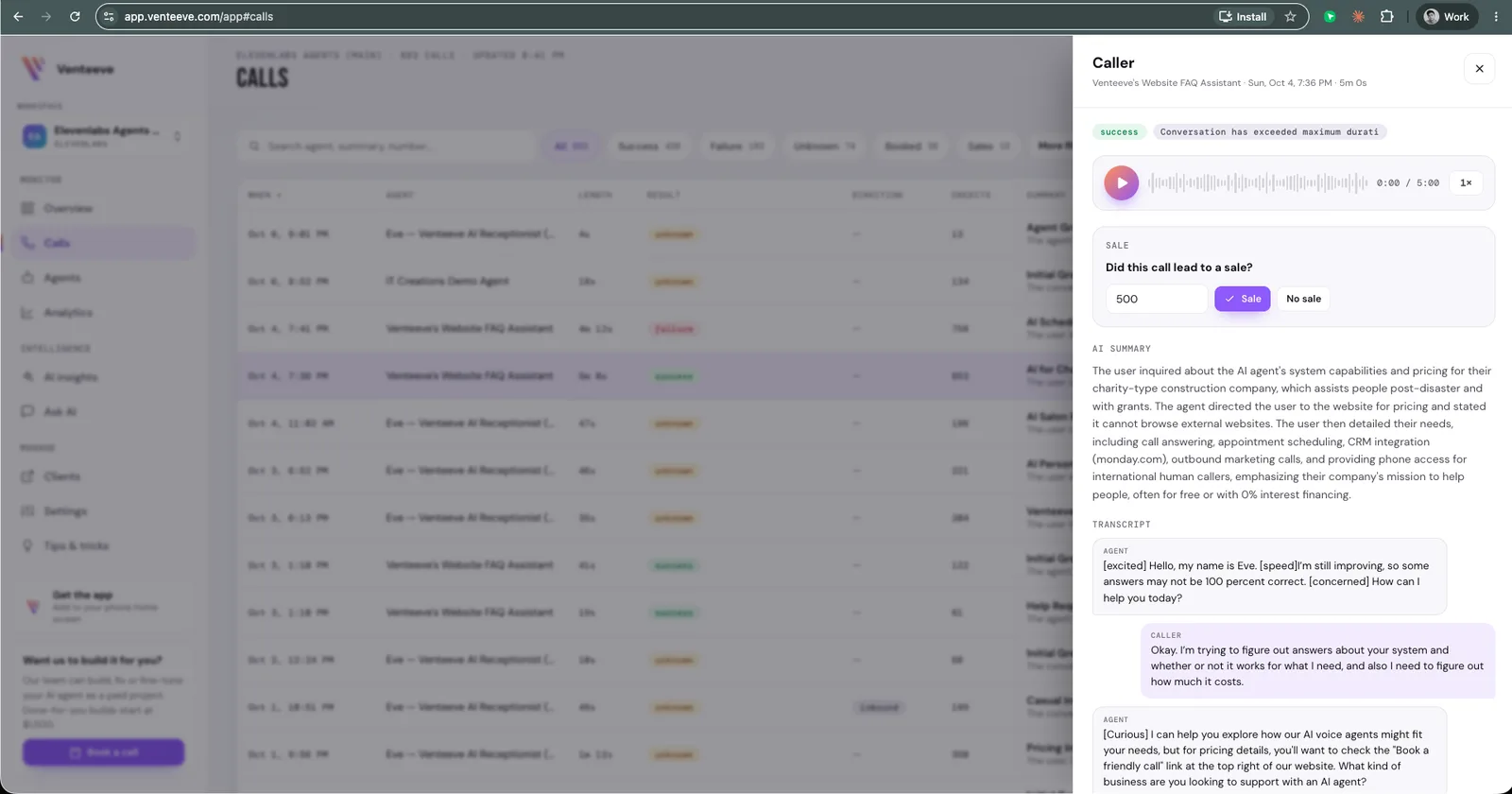
The Calls page replaces the spreadsheet outright. Search by agent, summary or number, and filter by success, failure, booked or sales. Every row carries an AI-written summary, so you do not need to open a call to know what it was about.
Open a call and you get the recording with a waveform player, the AI summary, a sale toggle and the full transcript, all in one panel. This is the "what actually happened on that call" button, and it is one click instead of one afternoon.
Agents: Health at a Glance, Testing in One Click
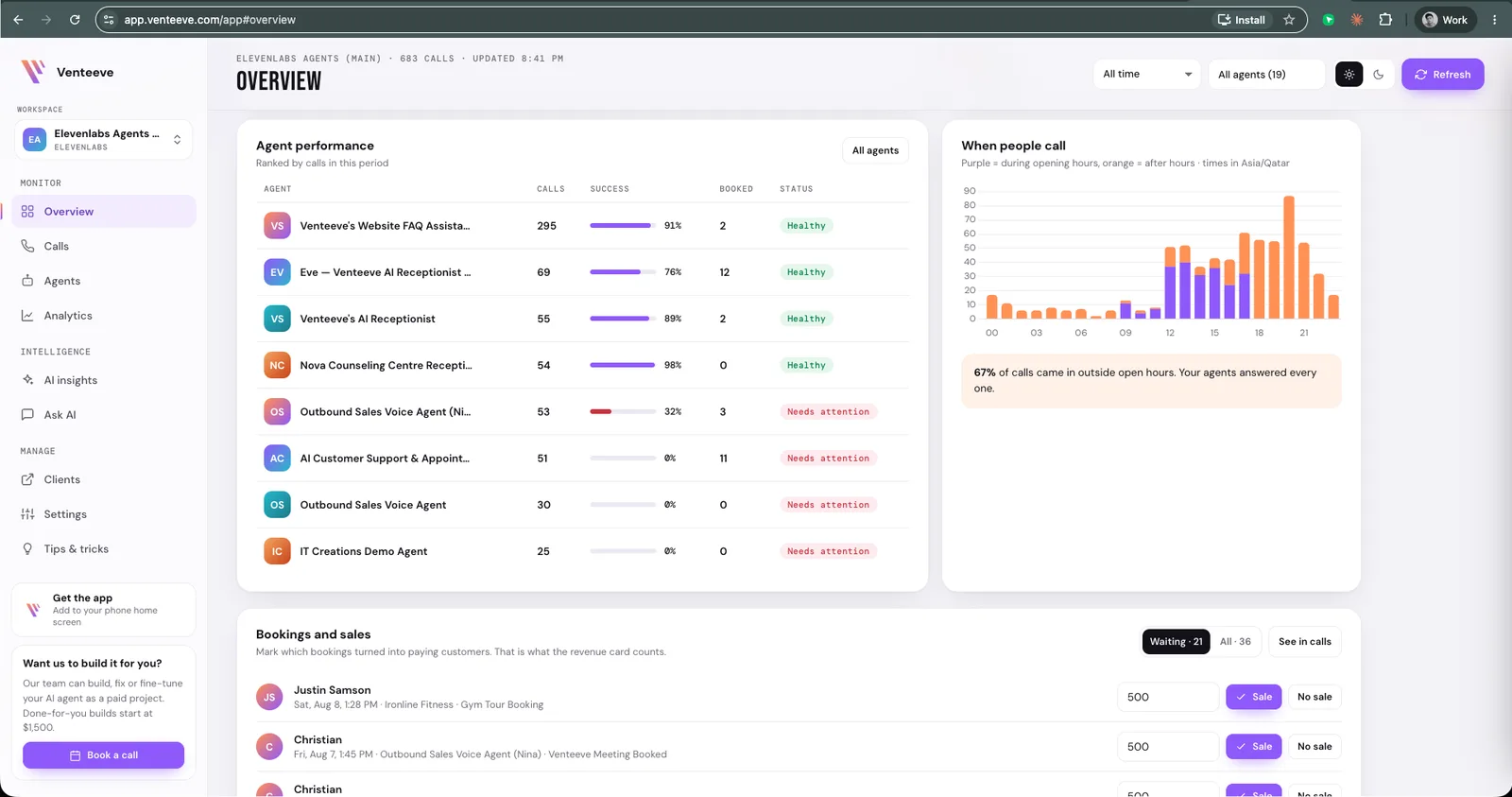
The Agents page gives each agent a card with calls, success rate, bookings, average length, connected phone numbers and a health status. Agents that need attention are flagged, so you find the problem before your client does.
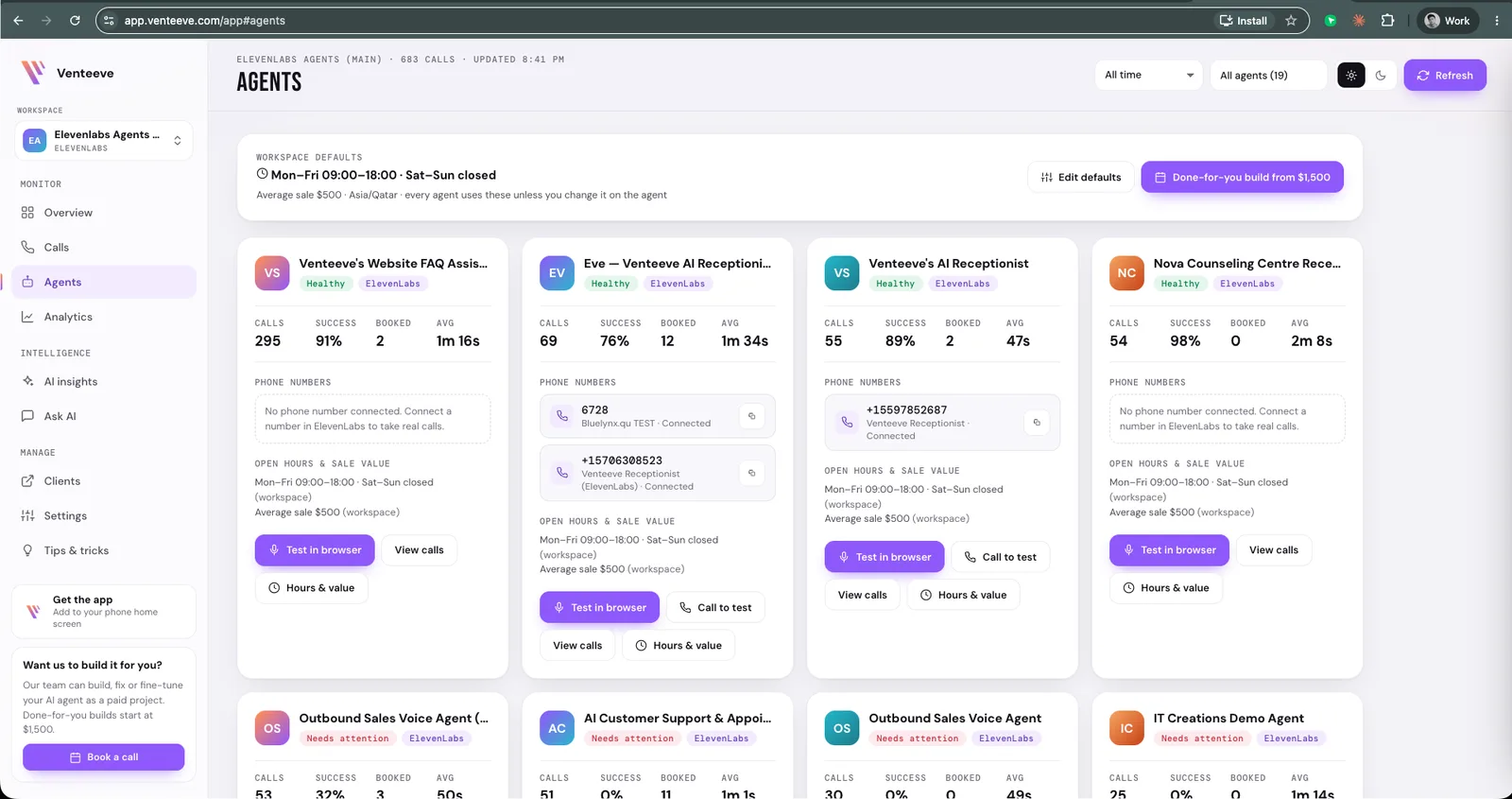
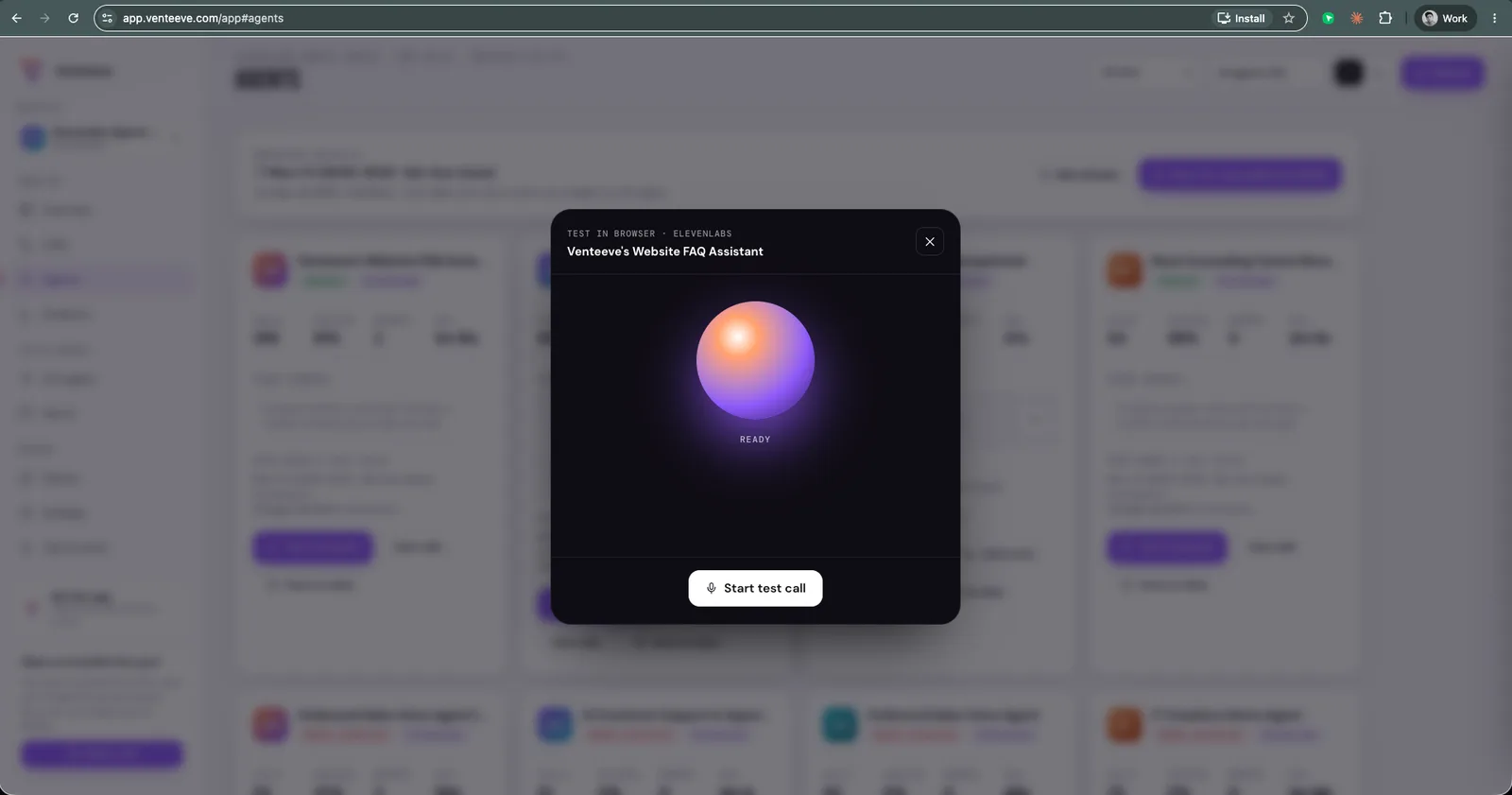
Each card has a Test in browser button, so you can talk to the agent straight from the page without dialling a number. You can also set each agent's opening hours and the average sale value, which is what makes the after-hours and revenue figures meaningful.
Analytics: A Scorecard for Every Agent
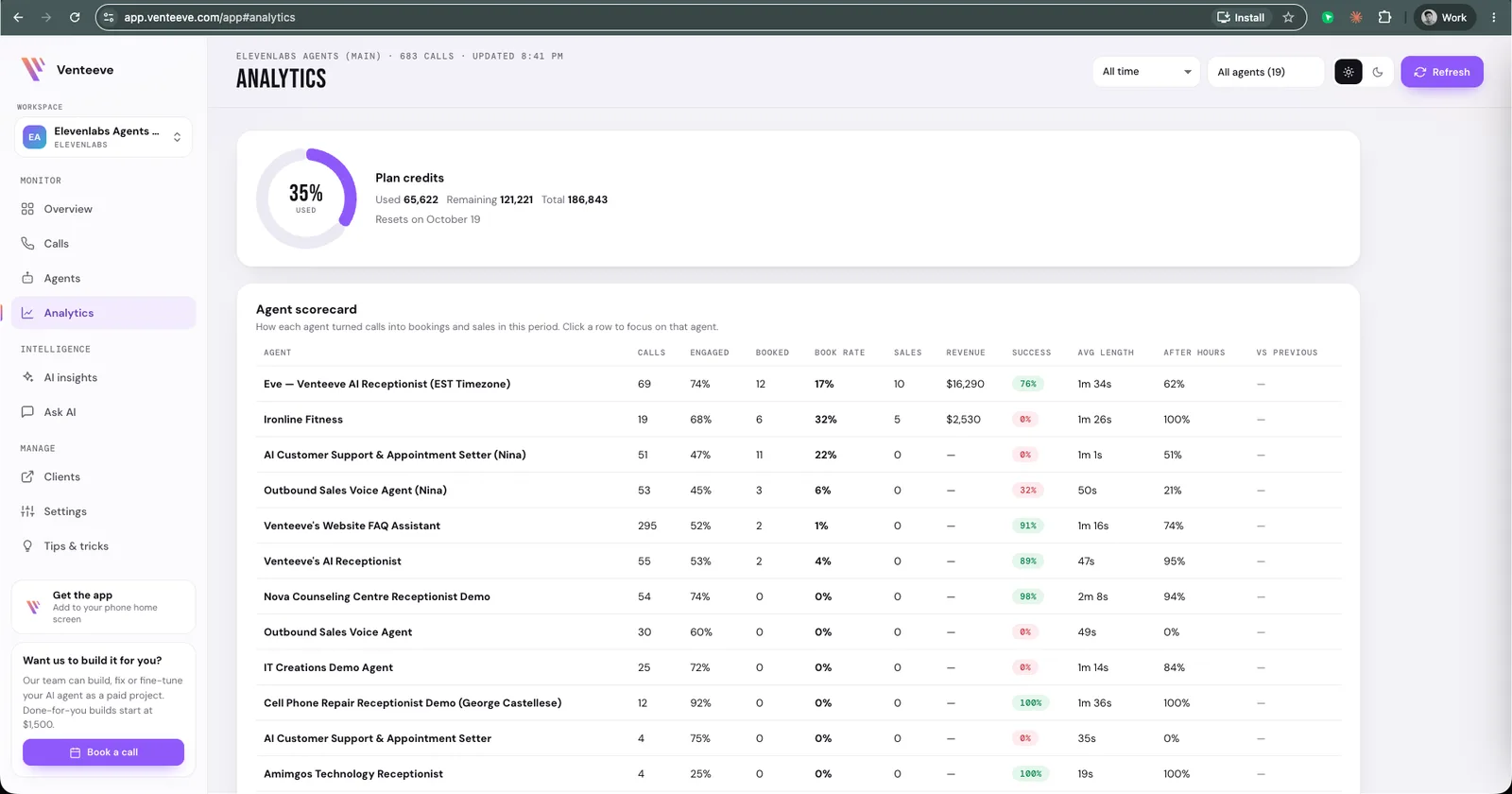
Analytics lays every agent side by side: calls, engagement, bookings, booking rate, sales, revenue, success, average length and after-hours share. It also tracks your plan credits, so nobody discovers the balance is empty by way of a customer complaint.
AI Insights: The Part That Does the Analysing
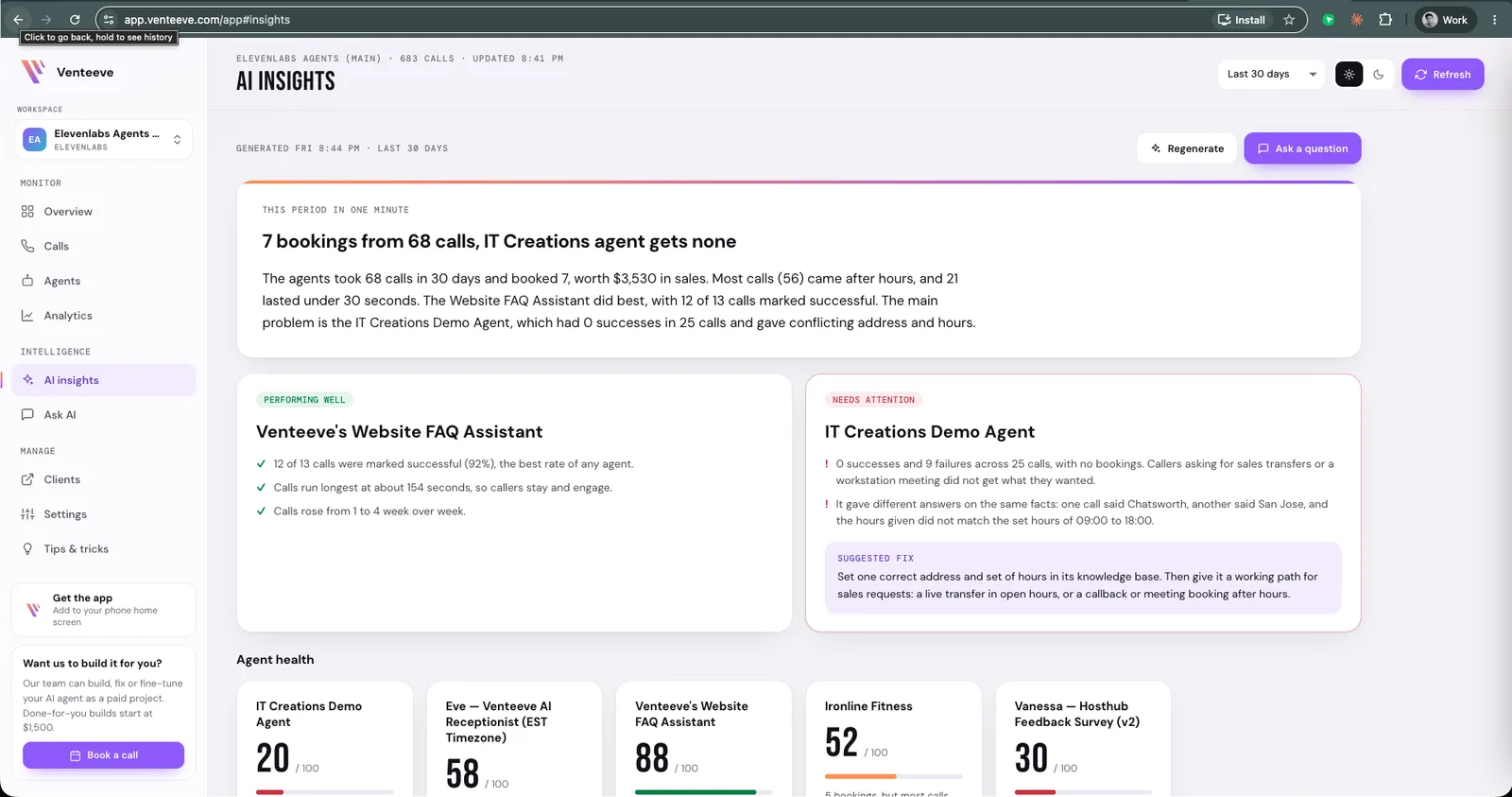
This is the page that handles the other 80%. Venteeve reads every call in a period and writes a plain-English brief: what happened, which agent is performing well, which needs attention, and a suggested fix.
In my own workspace it flagged one demo agent with no successes across 25 calls, noticed it had given conflicting answers about the same address, and suggested setting one correct address and hours in its knowledge base and adding a proper path for sales requests. That is exactly the "what to implement next" work that turns an agent into a system.
Ask AI: Questions, Answered With Receipts
Ask AI lets you query your calls in plain English. I asked who called about pricing and did not book. It listed the callers, explained what each wanted, and linked every answer to the exact call behind it.
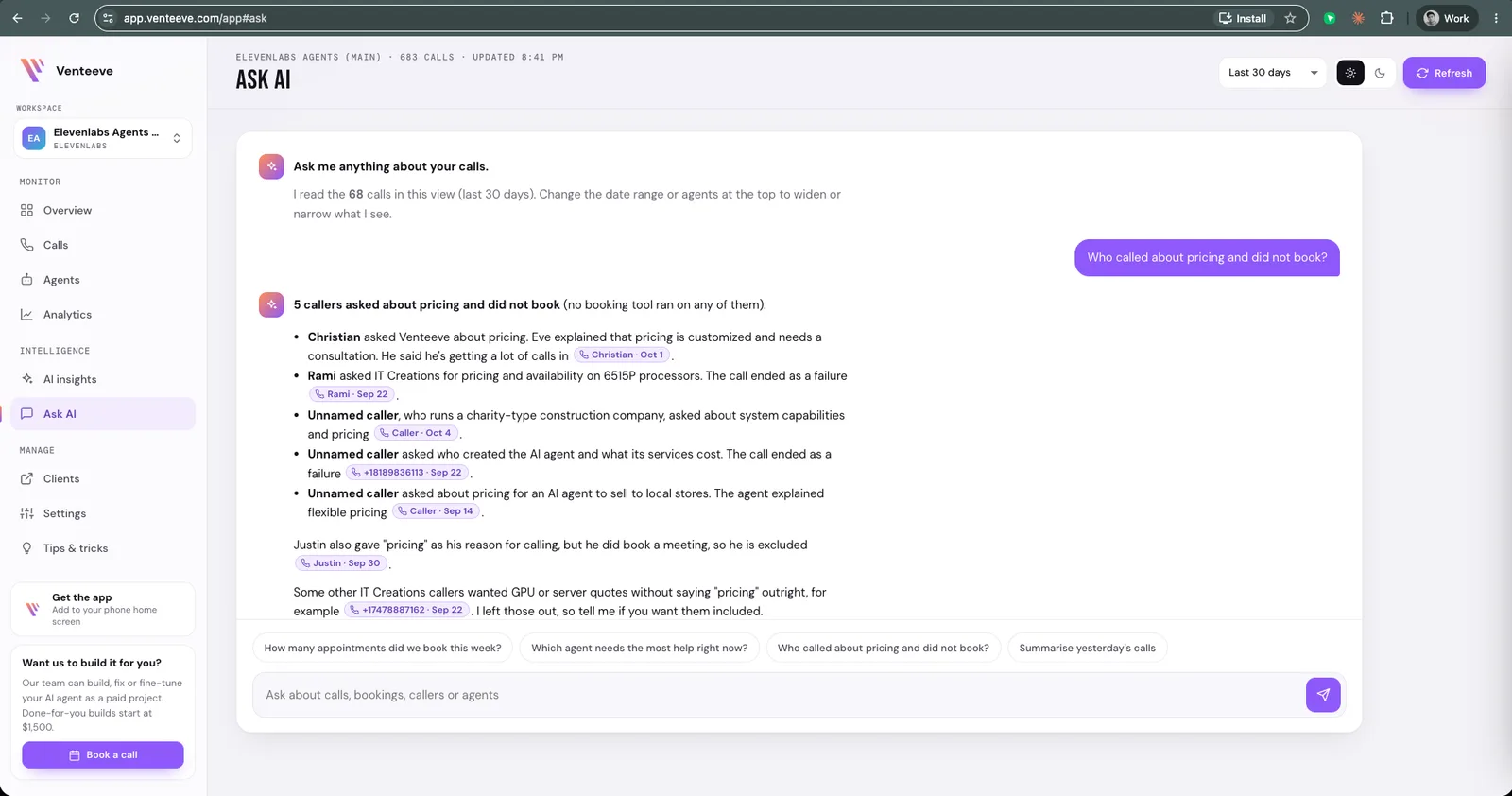
For an agency this is quietly powerful. "Here are five people who asked about pricing and never booked" is a lead list and a script fix in one sentence.
White Label: Your Brand, Not Ours
Here is the bit agencies care about most. Each client gets their own portal with their logo, their agents and only the numbers you choose to show, behind a login that works on a phone. Clients never see which platform runs the agent. As far as they are concerned, you built the whole thing.
On the White Label plan you go further: your own domain, your logo, colours and fonts, emails sent under your name, and no Venteeve branding on the portal or sign-in page. It looks like your product, because as far as the client is concerned, it is.
And you can bill from the same place. Connect your own Stripe account and send setup fees, monthly retainers and usage invoices to each client.
Much Better Than Sending a Google Sheet
I have done both, so I can compare them fairly. A Google Sheet is free, familiar and fine for about a month. A portal is a product your client can open on their phone, see a revenue figure they trust, and read a verdict instead of a pile of rows.
A sheet gets harder to read as the calls grow. A portal gets more useful. That is the whole difference, and it is the difference between a client who churns in month three and one who sees the value every time they open it.
What to Do Next
If you are building agents for clients on ElevenLabs, Vapi or Retell, connect one and look at your own calls the way a client would. Check your success rate, your after-hours share, and whatever AI Insights says needs attention. One of them will tell you something you did not know.
The agent is what you built. The portal is what your client sees every week, and what keeps them. Start with the trial, add your branding, and send your next client a link instead of a spreadsheet.